
Introduction
Imagine moving into a brand-new apartment. The landlord makes sure the building is strong, the fire alarms work, and the security guard is on duty. But inside your apartment, it’s your job to lock the doors, store valuables safely, and decide who can visit.
That’s exactly how security works in the cloud.
AWS (like the landlord) secures the building (cloud infrastructure), while you (the customer) secure what’s inside your space (your data, apps, and settings).
Why this matters
Security in the cloud isn’t just AWS’s job. Even though AWS provides a safe foundation, you are responsible for how you use it. If you don’t take care of your side, your data and applications may still be at risk.
Most cloud breaches happen not because AWS infrastructure failed, but because customers' misconfiguration settings, left data unencrypted, or used weak access controls. Understanding this model helps prevent costly mistakes and builds a culture of shared accountability.
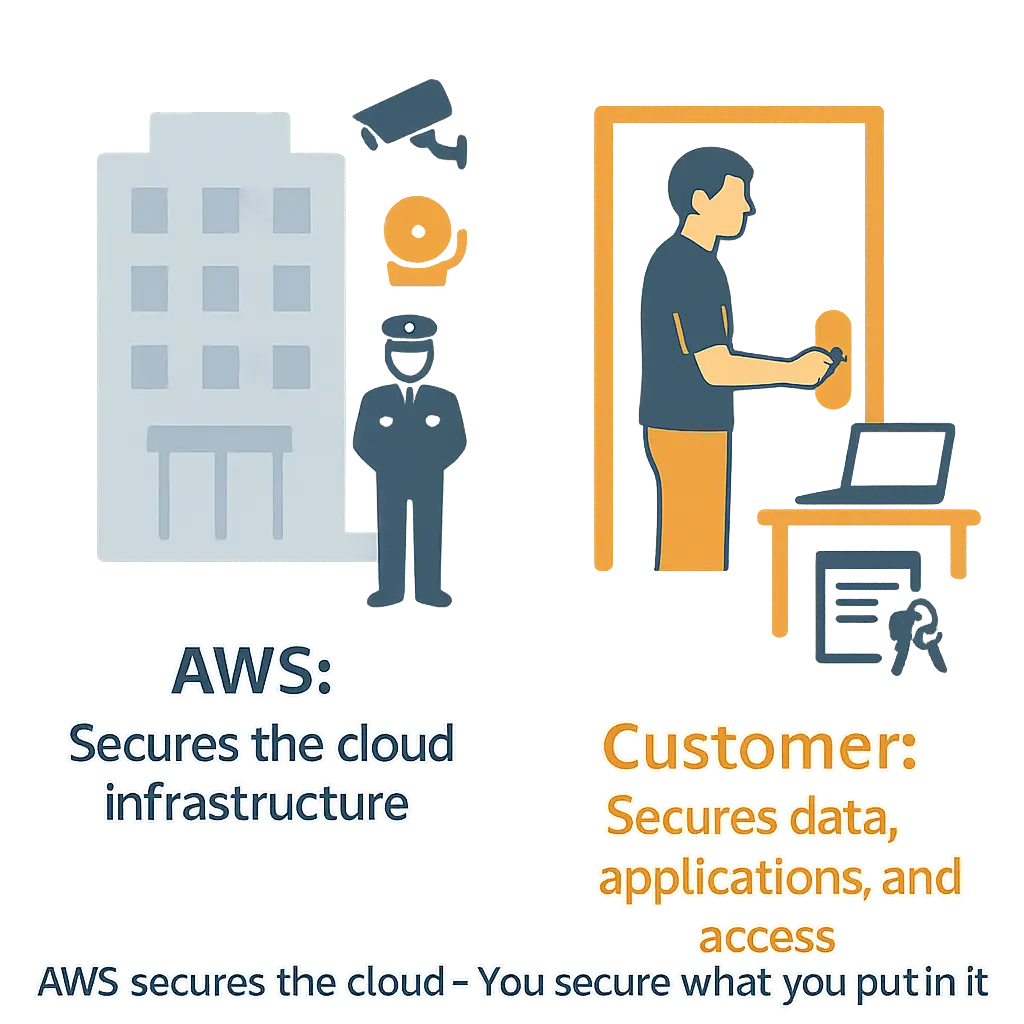
By the end of this lesson, you’ll know exactly what AWS secures and what you secure. This clarity is the foundation of the AWS Shared Responsibility Model.
What is the Shared Responsibility Model?
The AWS Shared Responsibility Model is a framework that clearly defines who is responsible for what in the cloud. In short:
AWS is responsible for securing the cloud itself – the infrastructure, data centers, networking, and physical hardware.
You (the customer) are responsible for securing what you put in the cloud – your data, applications, configurations, and access controls.
At the highest level:
AWS secures the foundation (like the landlord making sure the building is safe).
You secure your usage (like deciding who enters your apartment and how you arrange it).
As you go deeper into AWS services:
In Infrastructure as a Service (IaaS), like Amazon EC2 → you manage the OS, applications, and data.
In Platform as a Service (PaaS) like Amazon RDS → AWS manages the OS, you manage data and configurations.
In Software as a Service (SaaS), like Amazon S3 → AWS, manages most of the service, you mainly manage data and permissions.
Why Do We Need the Shared Responsibility Model?
Imagine blaming your landlord if you left your apartment door wide open and got robbed. That wouldn’t be fair, right?
In the same way, AWS cannot protect you if you misconfigure your applications, use weak passwords, or leave your data unencrypted. Security only works when both AWS and the customer take responsibility.
Cloud security is a team effort. AWS ensures the cloud is secure, but you must ensure your usage of the cloud is secure. Without this model, there would be confusion, gaps in protection, and a much higher risk of breaches.
Strong Point: Most cloud security incidents happen not because AWS failed, but because customers made mistakes in access control, configuration, or data handling. The shared responsibility model exists to prevent those mistakes by making roles crystal clear.
Think of driving a car:
The car company makes sure the car has seatbelts, airbags, and brakes.
The driver must wear the seatbelt, follow traffic rules, and drive safely.
Both are responsible in different ways for overall safety.
Who is the Customer?
If you’re using AWS — whether as a student, developer, startup, or enterprise — you are the customer.
Understanding who the customer is matters because the customer holds direct control over how AWS services are used. AWS can provide the most secure cloud platform in the world, but if the customer mismanages access, ignores encryption, or leaves systems unpatched, the risk remains.
This means that the customer’s decisions directly impact security, compliance, and costs. Without clarity on their role, organizations may falsely assume AWS covers everything, leading to dangerous gaps in protection.
Customers decide who gets access (via IAM policies).
Customers configure how data is stored and protected.
Customers manage application patching, logging, and monitoring.
Who is the Cloud Service Provider (CSP)?
Think of AWS as the landlord of a massive, high-tech apartment building. Just as a landlord ensures the building is strong, safe, and always operational, AWS ensures the cloud foundation is reliable and secure.
What AWS Does
AWS, as the Cloud Service Provider (CSP), is responsible for:
Running and securing physical data centers around the world.
Managing the networking, storage, and compute infrastructure that powers all cloud services.
Ensuring high availability, resilience, and disaster recovery capabilities so customers can rely on AWS at all times.
Maintaining the global foundation that allows customers to focus on building apps without worrying about the underlying infrastructure.
AWS plays this role because customers cannot realistically manage global data centers, networking hardware, and physical security themselves. By offloading these responsibilities to AWS, customers gain access to a secure, scalable foundation that would be nearly impossible and costly to replicate on their own.
Responsibilities of the Customer (Security in the Cloud)
“AWS won’t decide your passwords, encrypt your files, or manage who logs into your systems — that’s up to you.”
Your Key Responsibilities
Data Security – Classify your data, encrypt sensitive information, and maintain proper backups.
Application Security – Keep applications updated, patch vulnerabilities, and secure your code.
Identity & Access Management (IAM) – Control who can access your AWS resources, enforce strong authentication, and enable MFA.
Network Configurations – Configure firewalls, manage security groups, and control inbound/outbound traffic.
Like securing your apartment:
You lock the doors,
Keep your keys safe,
And decide who can enter.
AWS ensures the building is strong, but you secure what’s inside your unit.
Your responsibilities vary based on the service model:
IaaS (e.g., Amazon EC2) → You manage the OS, applications, and data.
PaaS (e.g., Amazon RDS) → AWS manages the OS, you focus on applications and data.
SaaS (e.g., Amazon S3, DynamoDB) → AWS manages most of the stack; you mainly handle data security and access policies.
“Who is responsible for what in the cloud?”
The balance of responsibilities shifts depending on the service model you choose.
With IaaS, customers manage more (apps, runtime, OS), while AWS secures the infrastructure.
With PaaS, AWS takes over more layers (runtime, middleware, OS), leaving you mainly with apps and data.
With SaaS, AWS manages almost everything — you’re mostly responsible for data and access controls.
 Click each tile below (IaaS, PaaS, SaaS) to reveal how responsibilities are shared.
Responsibilities of the Cloud Provider (Security of the Cloud)
“AWS makes sure the building won’t collapse, the power always works, and the lifts are safe.” In other words, AWS ensures the foundation of the cloud is secure and reliable so customers can focus on building and running their applications.
AWS Responsibilities
Physical Security – Protecting global data centers with security guards, CCTV, biometric access, fire protection, and 24/7 monitoring.
Infrastructure Security – Securing core components like networking, storage, compute, and virtualization layers.
Hardware & Facilities – Maintaining servers, replacing faulty hardware, and ensuring power and cooling systems.
Resiliency – Providing global redundancy, disaster recovery, and fault tolerance to minimize downtime.
Compliance & Certifications – Meeting global compliance standards (ISO, SOC, PCI DSS, etc.) so customers can build on a trusted infrastructure.
Like a landlord ensuring the entire apartment building is safe:
Strong foundations (earthquake-resistant design),
Reliable utilities (electricity, water, elevators),
Security staff and surveillance to protect the property.
Customers never need to worry about these aspects — AWS handles them.
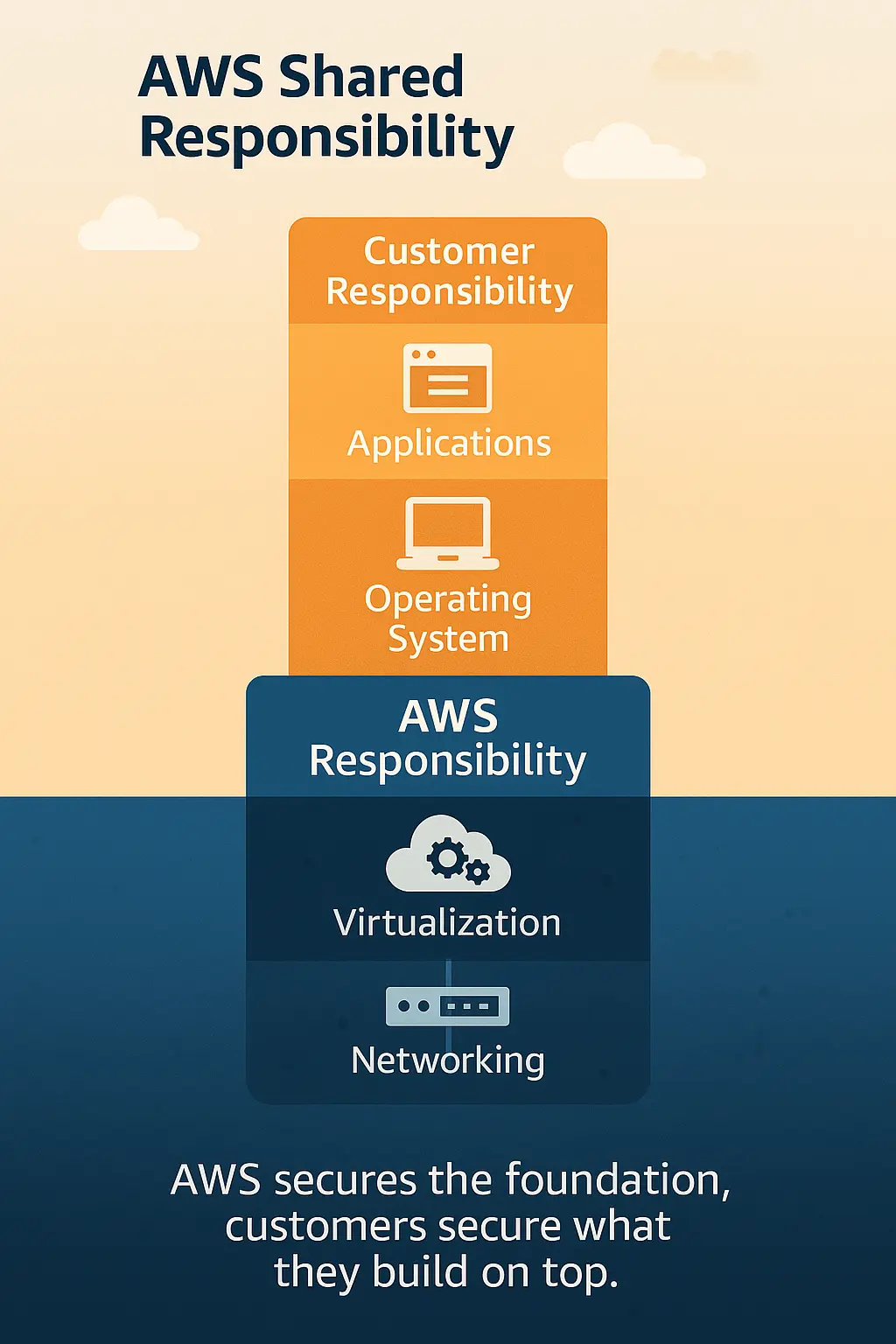
Key Takeaway
AWS secures the cloud.
You secure what you put in the cloud.
This simple rule summarizes the Shared Responsibility Model. AWS ensures the global infrastructure is reliable, resilient, and secure. You, the customer, are responsible for protecting your data, applications, and access within that environment.