
Introduction
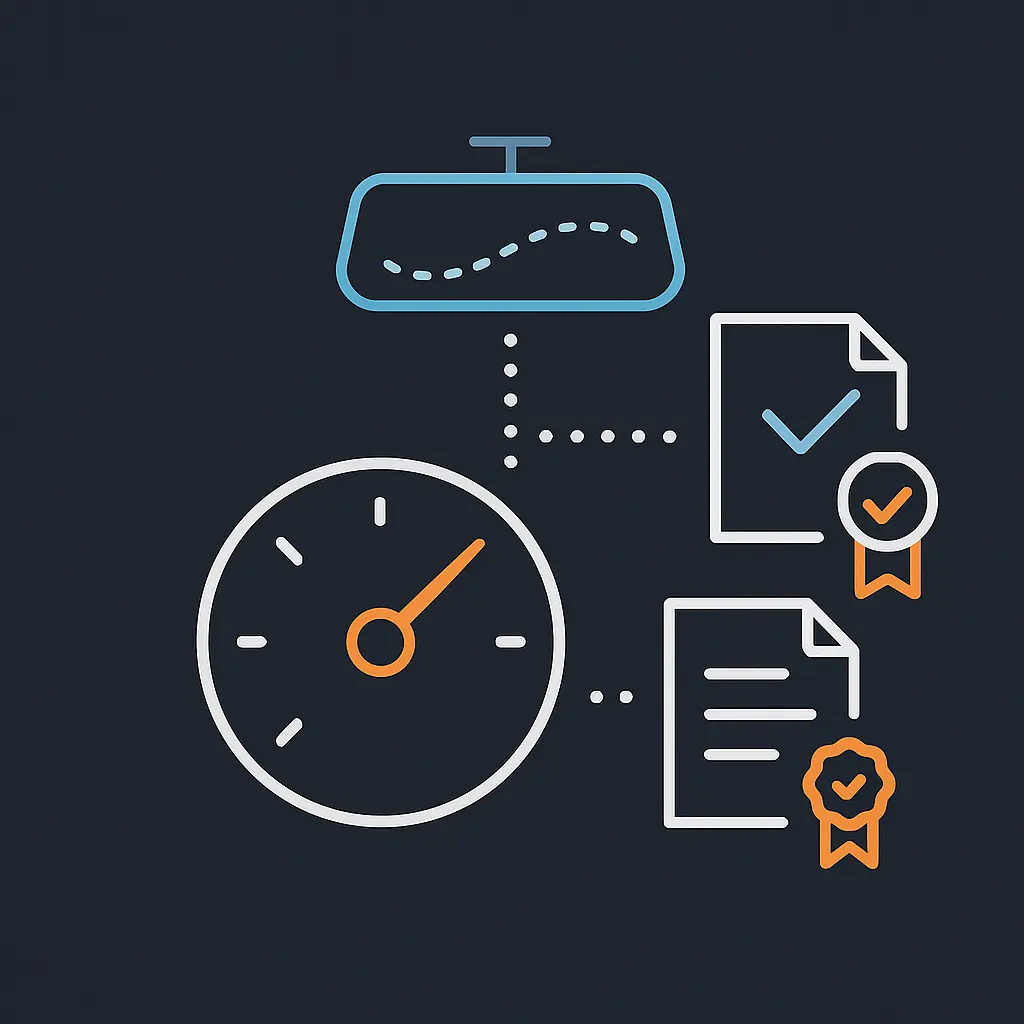
Imagine driving a car without a speedometer or rear view mirror. You wouldn’t know how fast you’re going, or if someone is tailgating you. Running AWS without logging and compliance tools is the same — you’re moving forward, but blind to what’s happening.
What is Logging?
Logging is the process of recording events and activities happening in your AWS environment. It helps track who did what, when, and from where.
Think of it like a CCTV camera system for your AWS account — you always have a record to go back to.
Example: AWS Cloud Trail logs every API call, so if someone deletes a resource, you can trace exactly who did it.
What is Compliance?
Compliance means following standards, rules, or laws to ensure your AWS setup is safe and meets regulatory requirements. It protects your organization from risks, penalties, and builds customer trust.
Just like factories follow safety regulations to protect workers, AWS customers follow compliance standards (like GDPR, PCI, ISO) to protect data.
Example: AWS Artifact provides official compliance reports (e.g., SOC, ISO certificates) so you can prove to auditors that your workloads run on a compliant infrastructure.
Why Logging & Compliance Together?
Logging gives visibility (what’s happening).
Compliance ensures accountability (are we meeting the rules?).
Together, they help you:
Detect suspicious activities.
Investigate incidents.
Prove compliance during audits.
Logging is your flight recorder (black box), while compliance is your aviation authority checklists. Both are essential for safe, accountable operations.
Cloud Watch - Core Concepts
Namespaces
Namespaces act like labeled folders where metrics are stored neatly. There is no default namespace, and AWS uses the convention AWS/service.
Metrics
Metrics are time-ordered data points that measure resource performance, like CPU utilization or request counts. They are region-specific, expire after 15 months if not updated, and can be extended with custom metrics or metric math. For EC2, memory and disk usage metrics require the CloudWatch Agent.
Dimensions
Dimensions are name/value pairs that uniquely identify a metric. Adding different dimensions is like filtering CCTV footage by angle or timestamp — it narrows what you see. Each metric can have up to 10 dimensions.
Resolution
Metrics can have standard (1-minute) or high-resolution (1-second) granularity. High resolution offers detailed sub-minute insights.
Statistics
Statistics aggregate data over time to tell a story. Minimum and maximum show extremes, sum totals all values, average shows typical use, sample count shows the number of data points, and percentiles show distribution.
Alarms
Alarms monitor metrics and trigger actions when thresholds are breached. They can be in states: OK, ALARM, or INSUFFICIENT_DATA. Missing data can be treated in different ways, and alarms can use tags for policy-based management.
Dashboards
Dashboards are customizable command centers that display metrics, logs, and alarms in one view. They are global, not region-specific, and can be shared via email, public links, or SSO.
Events (Event Bridge)
Events act like motion sensors for AWS, detecting changes in real time and triggering actions. Event Bridge extends CloudWatch Events to support SaaS and custom apps. Events use rules to route signals to targets.
Interaction Idea: Match scenarios with Event actions (e.g., stop EC2 at night).
Logs
Logs are like CCTV recordings — detailed, searchable, and always available as evidence. CloudWatch Logs stores and analyzes application/system logs. Features include Logs Insights, Metric Filters, Contributor Insights, Real User Monitoring (RUM), and Vended Logs.
CloudWatch Agent
The CloudWatch Agent collects detailed system metrics like memory and disk usage from EC2 and on-premises servers. It uses the namespace CWAgent and supports custom metrics with StatsD and collects information.
Metric Streams
Metric Streams are like live TV feeds, continuously sending real-time metrics to destinations like S3, Datadog, and Splunk.
Application Insights
Application Insights acts like a doctor for your apps, scanning resources, detecting anomalies, and recommending monitors. It creates automated dashboards and integrates with Systems Manager OpsCenter for remediation.
Container Insights
Container Insights is like a fleet manager, watching ECS, EKS, and Kubernetes workloads. It collects metrics, diagnostics, and supports alarms.
Pricing
CloudWatch pricing works like a utility bill — you pay for what you monitor, store, and analyze. Charges apply for metrics, dashboards, alarms, log ingestion, queries, events, Evidently, and RUM. Data transfer IN is free, but OUT incurs charges.
Summary
Amazon CloudWatch combines Metrics, Logs, Events, Alarms, and Dashboards into your AWS nervous system. It provides visibility, automation, and proactive alerts.
Final Interaction Idea: Drag-and-drop CloudWatch features to real-world analogies (Metrics = Thermometer, Logs = CCTV, Events = Motion Sensor, Alarms = Smoke Detector, Dashboard = Command Center).
AWS Cloud Trail
AWS Cloud Trail is a service that audits user activity and API usage. It records actions taken by users, roles, or AWS services in the AWS Management Console, CLI, SDKs, and APIs as events.
Why Cloud Trail?
“Ever wish you had CCTV footage when something went wrong at home? Cloud Trail gives you that for AWS. Just like CCTV cameras record and let you replay events, Cloud Trail records every API call and user action in your AWS account. For example, suppose an EC2 instance is deleted unexpectedly. In that case, you can open Cloud Trail Event History and see exactly which user, role, or service made the delete call, at what time, and from which IP address. This makes troubleshooting and accountability simple.”
Key Features
Cloud Trail is enabled by default for all AWS accounts.
Focuses on auditing API activity.
View events in Event History (last 90 days).
Use Cloud Trail Lake to aggregate, immutably store, and query logs.
Cloud Trail Insights detects unusual activities like spikes in resource provisioning or IAM actions.
Logs are published to Amazon S3 about every five minutes.
Notifications can be configured with Amazon SNS.
Trails
A trail defines how Cloud Trail delivers logs:
All Regions Trail: Records events in every region and delivers to an S3 bucket (default in console).
Single Region Trail: Records only in the chosen region (default via CLI/API).
Organization Trail: Logs activity across all AWS accounts in an AWS Organization (created in the management account).
Logs are encrypted by default with S3 SSE, or optionally with KMS keys. You can apply S3 lifecycle policies for archiving/deletion.
Event Types
Management Events (Control Plane): Logged by default. Capture operations like creating/deleting resources.
Data Events (Data Plane): Not logged by default. Capture activity like S3 object-level API calls or Lambda function executions. High-volume.
Insights Events: Detect and record unusual activity patterns (e.g., sudden surge in IAM calls).
For global services like IAM, STS, CloudFront, and Route 53, events are logged in the US East (N. Virginia) Region.
Monitoring with CloudTrail
Send CloudTrail logs to CloudWatch Logs for monitoring.
Set up metric filters and alarms in CloudWatch.
Use Log File Integrity Validation to detect tampering (ensures logs weren’t altered or deleted).
Pricing
The first copy of management events in each region is free.
Additional copies are charged.
Data events (S3, Lambda, DynamoDB) incur charges per event.
Logs delivered to S3 incur S3 storage charges.
Limits
Trails per region: 5 (includes all-region trails).
API limits: Get/List/Describe (10 TPS), LookupEvents (2 TPS), others (1 TPS).
Event data stores in CloudTrail Lake: 5 per region.
Event selectors: 5 per trail.
Advanced event selectors: 500 conditions across all.
Data resources: 250 across all event selectors.
Summary
AWS CloudTrail is your CCTV system for AWS, giving you visibility into every API call, who made it, when, and from where. It integrates with CloudWatch for monitoring, supports encryption and integrity validation, and provides insights into unusual activity.
AWS Config
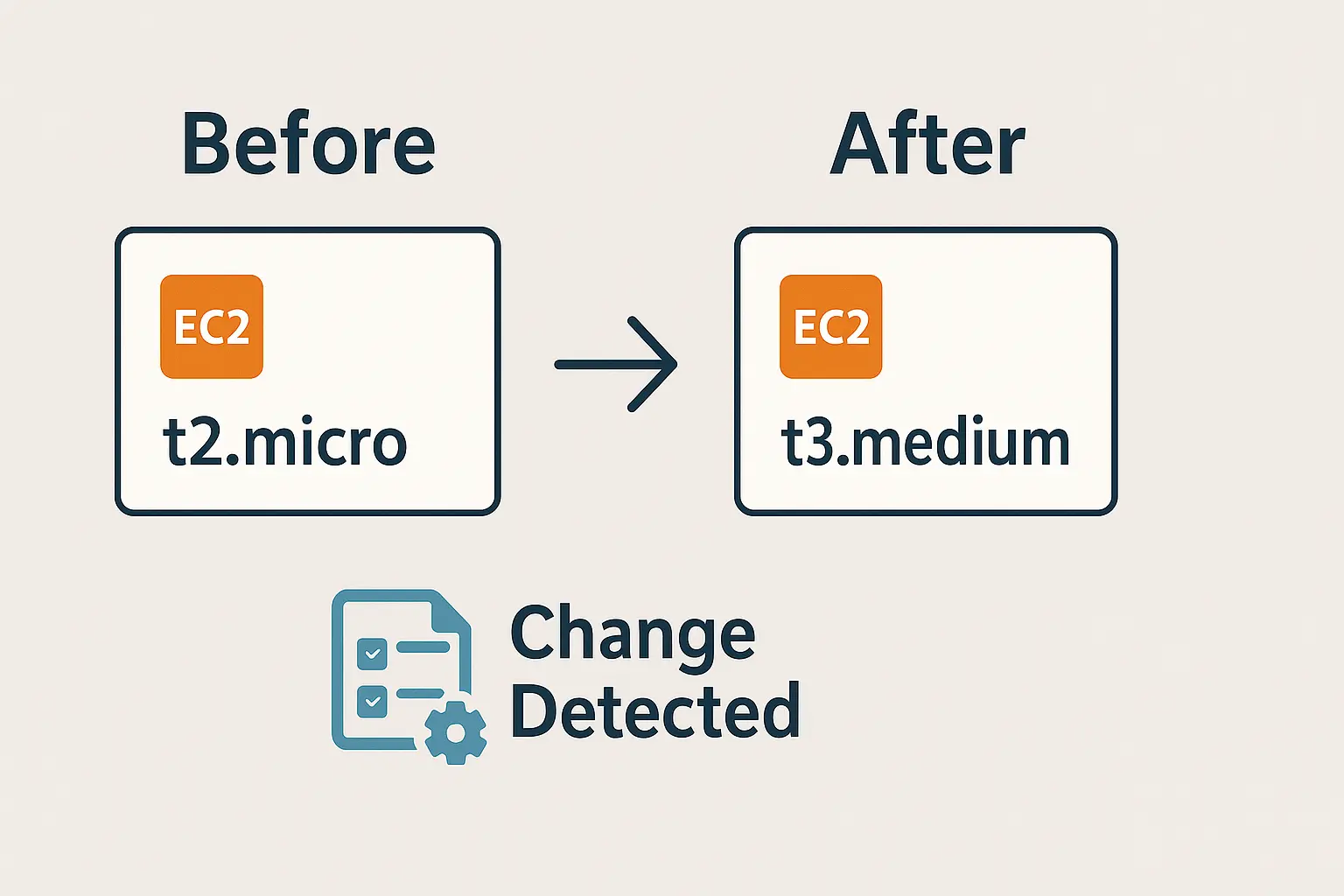
AWS Config is a configuration tracking and compliance service. It helps you continuously monitor, assess, and audit the configurations of your AWS resources.
“Imagine you move furniture around at home but forget where you placed them. AWS Config acts like before-and-after photos of your house, letting you track every change and ensure things are where they should be.”
Key Features
Configuration Recording: Continuously records configuration changes for supported AWS resources.
Configuration History: Maintains historical snapshots of resource configurations.
Configuration Snapshots: On-demand capture of current state across all supported resources.
Compliance Checks: Evaluate configurations against rules (AWS managed or custom).
Remediation: Automatically fix non-compliant resources using predefined or custom remediation actions.
Integration: Works with CloudTrail, CloudWatch, and Security Hub for monitoring and security posture.
How AWS Config Works
Resource Discovery: Identifies supported AWS resources in your account.
Configuration Capture: Tracks and records any changes to those resources.
Storage: Stores data in an S3 bucket you specify.
Analysis: You can query, audit, and compare configurations over time.
Common Use Cases
Security auditing and compliance (e.g., check if all S3 buckets block public access).
Troubleshooting and root cause analysis (see what changed before an incident).
Operational troubleshooting (e.g., track EC2 instance type changes).
Change management and governance.
AWS Audit Manager
AWS Audit Manager helps you continuously audit your AWS usage and automates the collection of evidence to simplify compliance with standards such as ISO, SOC, PCI DSS, GDPR, HIPAA, and more.
Why Audit Manager?
“Preparing for an audit is like preparing for an exam. Instead of collecting notes manually, Audit Manager acts like a smart study planner — automatically gathering the right evidence for you.”
Key Features
Automated Evidence Collection: Continuously collects evidence from AWS services and resources.
Pre-Built Frameworks: Supports industry standards (ISO 27001, SOC 2, PCI DSS, GDPR, HIPAA, NIST, CIS, etc.).
Custom Frameworks: Create your own compliance checks tailored to business or regulatory needs.
Assessment Reports: Provides audit-ready reports with detailed mappings between controls and collected evidence.
Continuous Compliance: Evidence is updated automatically, reducing manual work and keeping assessments current.
How It Works
Choose Framework: Select a pre-built standard (e.g., SOC 2) or create a custom one.
Define Scope: Choose which AWS accounts and services to assess.
Automated Evidence Gathering: Audit Manager collects logs, configurations, and resource data.
Review and Share: Generate an audit report and share it with auditors or compliance teams.
Benefits
Reduces time and cost of audits.
Ensures accuracy with automatically collected evidence.
Provides continuous compliance visibility.
Simplifies communication with auditors.
AWS Artifact
AWS Artifact is a self-service portal that provides on-demand access to AWS’s compliance documents and agreements.
Why AWS Artifact?
“Instead of asking your teacher for notes, AWS Artifact is like having an online portal with all the official reports neatly organized.”
Key Features
AWS Artifact Reports: Access AWS’s security and compliance reports such as SOC, ISO, PCI DSS, GDPR, HIPAA.
AWS Artifact Agreements: Accept and manage legal agreements with AWS, such as the Business Associate Addendum (BAA) for HIPAA compliance.
On-Demand Access: Reports are available 24/7 without needing to contact AWS support.
Global Availability: Works across all AWS regions via the AWS Management Console.
How It Works
Log in to the AWS Management Console.
Navigate to AWS Artifact.
Download compliance reports under Artifact Reports.
Accept or manage agreements under Artifact Agreements.
Use Cases
Provide auditors with up-to-date AWS compliance certifications.
Verify AWS’s compliance posture for industries like healthcare (HIPAA) or payments (PCI DSS).
Fulfill due diligence requirements for governance and risk management.
AWS Security Hub Cheat Sheet
AWS Security Hub is a centralized security and compliance service that aggregates findings from multiple AWS services and third-party tools into a single dashboard.
Why Security Hub?
“Imagine your home had separate alarms for fire, intrusion, and gas leaks. AWS Security Hub acts like the central control panel that shows them all in one place, giving you a single view of security.”
Key Features
Centralized Findings: Collects and aggregates security alerts from services such as GuardDuty, Inspector, Macie, IAM Access Analyzer, and Firewall Manager.
Compliance Standards: Provides automated checks against standards like CIS AWS Foundations Benchmark and PCI DSS.
Security Scores: Summarizes your compliance posture into an easy-to-read score.
Integration: Supports integrations with third-party security products.
Automation: Findings can trigger automated responses via EventBridge.
How It Works
Enable Security Hub in the AWS Management Console.
Security Hub collects findings from AWS security services and partners.
Findings are normalized into a common format.
The dashboard shows security posture and compliance scores.
Example Workflow
GuardDuty detects suspicious API calls.
Inspector identifies EC2 vulnerabilities.
Macie finds unencrypted sensitive data in S3.
Security Hub aggregates all findings and provides a consolidated dashboard view.